

Appearance
Content Types
A content type defines the structure (schema) for content. Most content types are collections of entries, such as posts. A content type can also be marked as a single page for one-off content like start-page, contact-page, or imprint.
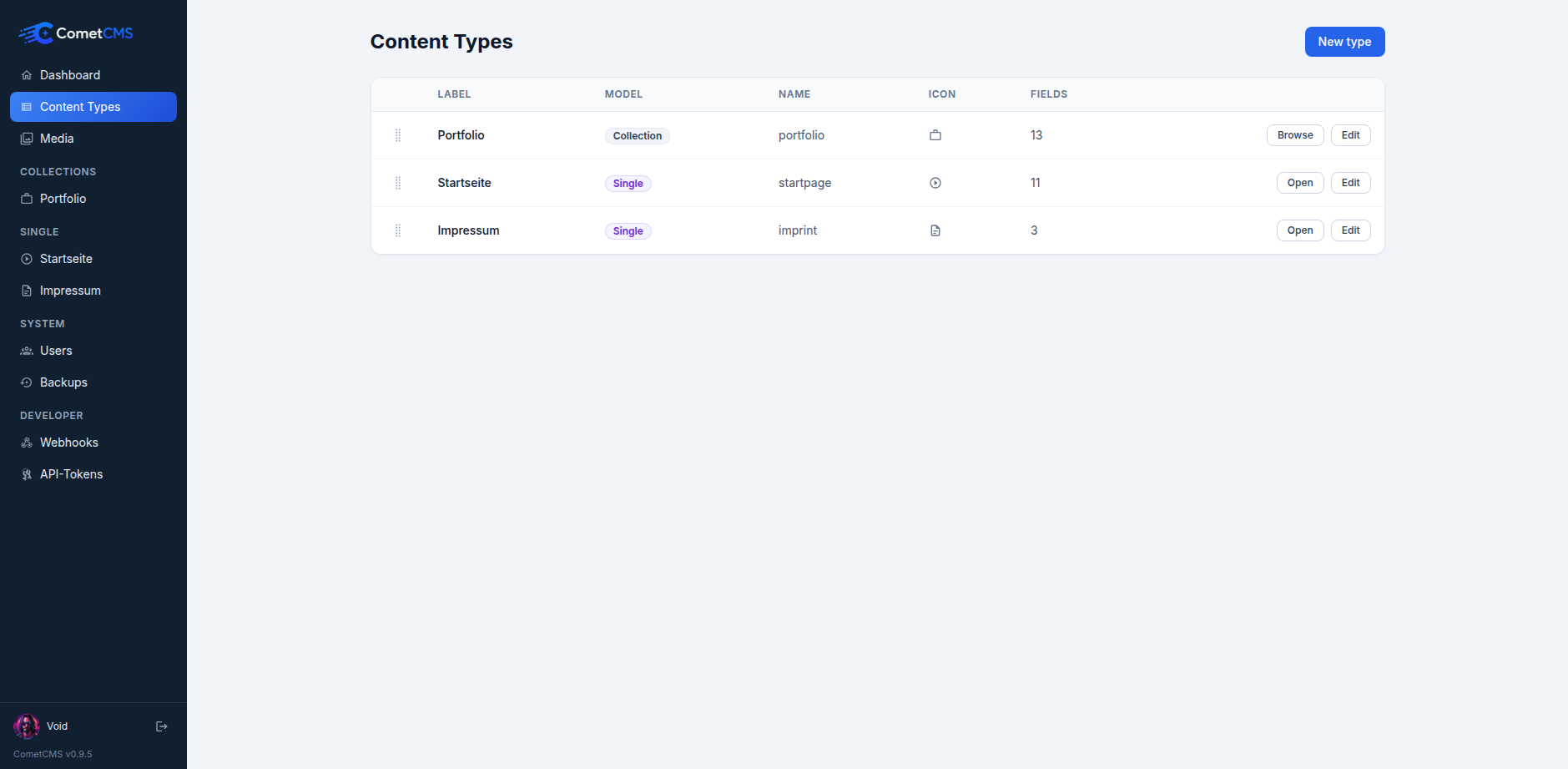
Creating a content type
- In the sidebar, click Content types.
- Click New content type.
- Enter a name (e.g.
posts). The name is used as the collection identifier in the API — use lowercase letters, numbers, and hyphens only. - Choose the Content model:
- Collection for repeatable content with many entries.
- Single page for one fixed entry.
- Add fields (see Field Types).
- Optional: add locales and choose a default locale.
- Click Save.
Single page content types appear under Single in the sidebar and open directly in the editor. Their entry slug is fixed to the content type name, so a start-page single page is fetched at /api/v1/workspaces/{workspace}/content/start-page/start-page.
Editing a content type
Open an existing content type to add, reorder, remove fields, or set supported field defaults. Changes to the schema do not affect existing entries — old entries simply won't have the new field value until they are edited and saved.
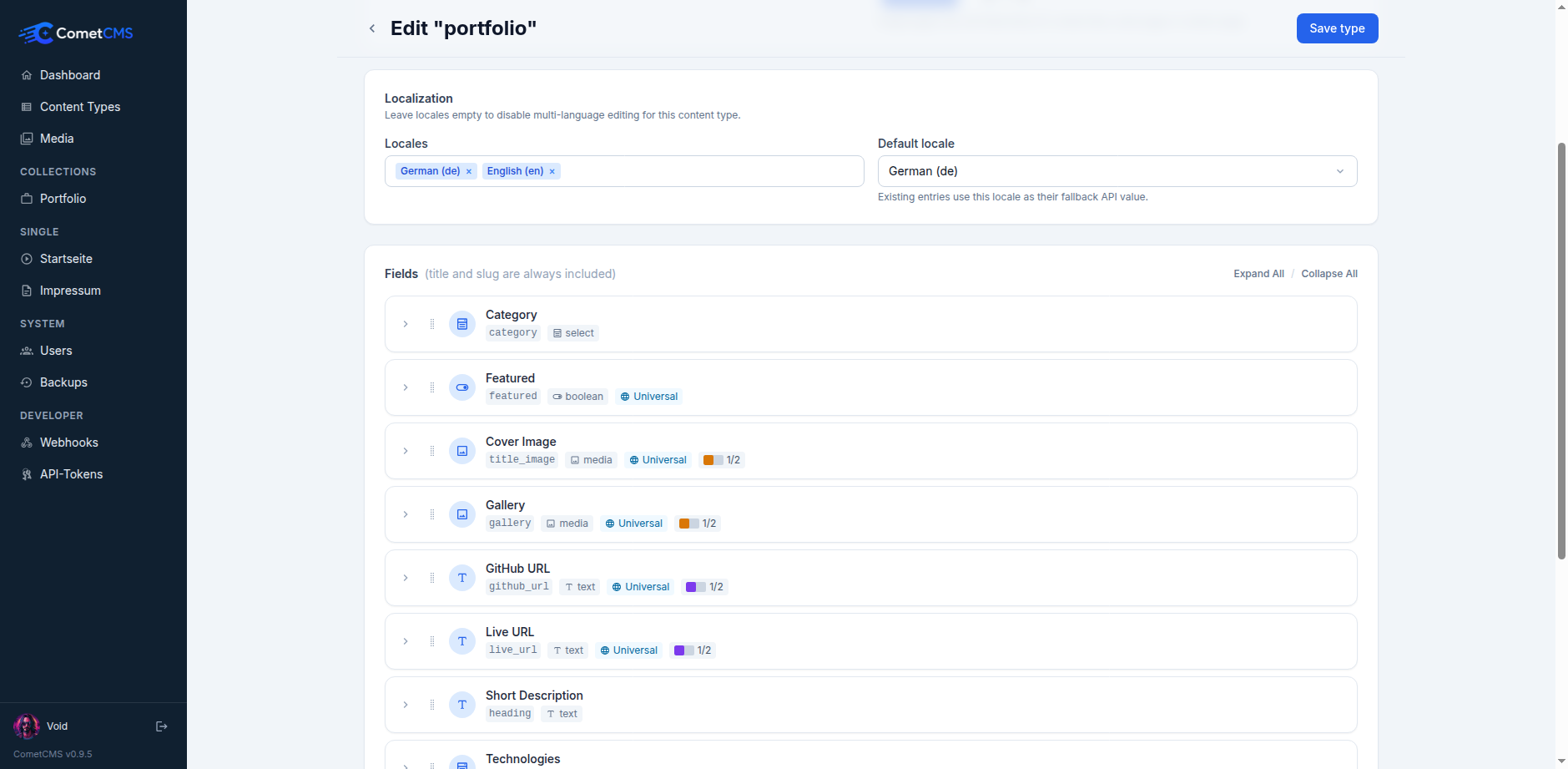
Field defaults pre-fill new entries in the admin editor and are applied to API-created entries when the field is omitted.
You can change a collection to a single page only when it has at most one active entry. This avoids ambiguity about which existing entry should become the fixed page content.
Localization
Content types can define locales and a default_locale. Leave locales empty to disable multi-language editing for that type.
Localized entries store translated title and custom field values per locale. Slug, status, author, publish date, timestamps, and entry ID are shared by all locales.
Changing locale settings is non-destructive:
- Adding a locale makes it available for future translations. Existing entries show it as missing until an editor saves that locale.
- Enabling localization for an existing non-localized content type copies each entry's root content into the new default locale.
- Removing a locale hides it from the editor and from
?locale=resolution, but saved translation data is kept in storage. - Changing the default locale updates existing entries to use that locale as their fallback root value when a translation exists.
- Disabling localization keeps existing translation data in storage, but the admin and API use the shared root values until localization is enabled again.
Workspace-scoped API access
Content type schemas are workspace-scoped. The same content type name can exist with different field definitions in different workspaces.
For the Public API, use the workspace prefix:
http
GET /api/v1/workspaces/site-b/content-types
GET /api/v1/workspaces/site-b/content-types/posts
Unscoped Public API routes under /api/v1/... are rejected with workspace_required.
For Admin API requests, the active workspace is selected with the X-Comet-Workspace header (or the configured default workspace when the header is omitted):
http
X-Comet-Workspace: site-bDeleting a content type
Deleting a content type also removes all entries in that collection. This action is irreversible.
Content type schema (JSON)
Content types are stored in cms/storage/content-types/{name}.json. A typical schema looks like:
json
{
  "name": "posts",
  "label": "Posts",
  "singleton": false,
  "locales": ["en", "de"],
  "default_locale": "en",
  "fields": {
    "title": { "type": "text", "required": true },
    "slug": { "type": "slug", "required": true, "unique": true },
    "body": {
      "type": "markdown",
      "label": "Body",
      "default": "Start writing..."
    },
    "published": { "type": "boolean", "label": "Published", "default": false },
    "published_at": { "type": "datetime", "label": "Publish date" }
  }
}